


Elektra Go: Money Transfer
4.6139.00 Reviews
App Specs
- Version
- 9.8.3
- Updated On
- License
- Free
- Downloads
- 100,000+
- Developer
- Elektra USA
- Categories
- Finance
- Platform
- Android
Screenshots
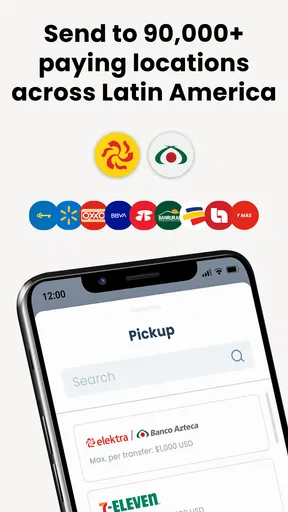
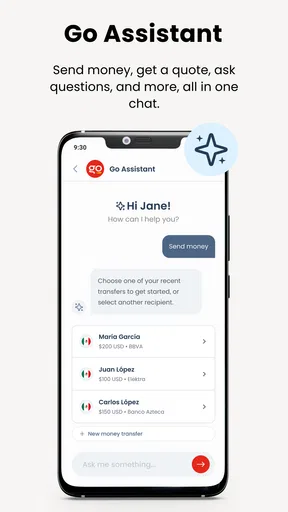
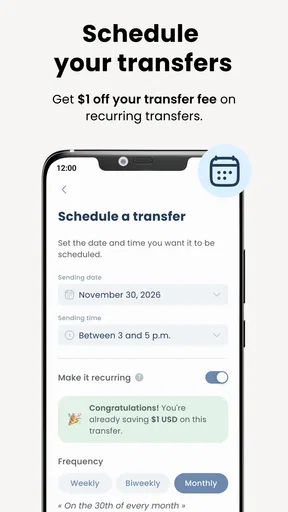
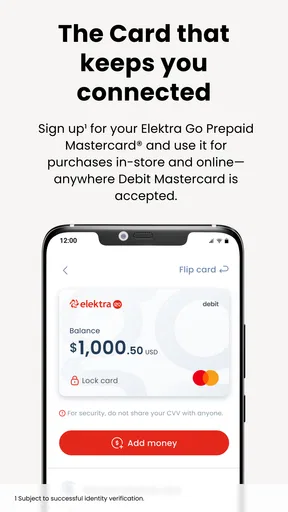
 Analysis by AppCompare
Money-transfer apps are easy to appreciate during the first urgent transaction. The harder question is whether they remain useful once the novelty wears off and sending money becomes part of an ordinary routine. I spent time looking at Elektra Go with that question in mind, and my impression is that it works best as a focused companion for people who already have a reason to use Elektra’s financial services, rather than as a universal replacement for every banking or payment app.
Elektra Go is a free finance app from Elektra USA, built around the simple promise of moving money quickly and securely. Its Everyone age rating makes it approachable for a broad audience, while support for Android devices running version 8.0 or later keeps it available to many older phones. The app has reached over one hundred thousand installs and holds a 4.5 average from more than five hundred ratings, with over one hundred written reviews. Those figures suggest a healthy level of interest, although I would still judge it by how well it fits a repeated money-transfer habit.
What the first week feels like
My first impression is that Elektra Go has a clear purpose. It is not trying to become a sprawling personal-finance dashboard full of budgeting charts, investment tools, credit education and unrelated offers. That narrow focus can be refreshing. When I open a transfer app, I generally want to understand what I can do, complete the task, and leave without wandering through layers of financial content.
That simplicity is especially valuable for someone who sends money to family members or handles regular transfers connected with Elektra USA. A dedicated app can feel less intimidating than navigating a full bank website, particularly for users who do most of their financial activity on a phone. The store summary presents it as a fast and secure way to transfer money, and that positioning matches the kind of job I expect it to perform: a practical transaction tool rather than a place to spend time.
The first-week appeal also comes from repetition. If I send money more than once, I quickly learn where the important actions are and whether the app fits my routine. That matters more than a flashy opening screen. A transfer app earns trust through predictable steps, readable confirmations and a clear sense of what happens next. In financial software, a few seconds saved are nice, but avoiding uncertainty is more important.
I would not install it merely because I occasionally need to move money. For an infrequent user, the setup and verification work associated with any financial app may feel like more effort than using an existing bank application or visiting a familiar service. Elektra Go makes more sense when the same type of transfer comes up repeatedly and having a dedicated route is genuinely convenient.
A realistic everyday routine
Imagine that I need to send money to a relative after payday. With a general banking app, I might have to move through account menus, search for the correct transfer option, check recipient details and then return later to confirm the result. With a focused tool such as Elektra Go, the appeal is having that particular task closer to the surface. I can treat it like a small weekly or monthly errand instead of rebuilding the process each time.
Worth Reading Before You Choose

EA SPORTS FC Mobile 26 Is a Bigger Football Game, but It Takes Time

Flipboard Shows What News Apps Must Do Beyond the Feed

Switching to Android Auto Means Rethinking Your Driving Routine

Google Calendar Makes a Crowded Week Easier to Manage

Ludo King Makes the Most of the Minutes Between Plans

Baby Panda World Brings Quick Play to Modern Phones, but Its Game Library Feels Busy
The important habit is to slow down at the confirmation stage. Fast transfers are useful only when the recipient information and amount are correct. I would review every visible detail before submitting, keep the confirmation available until the recipient acknowledges receipt, and avoid starting a second transfer simply because the first screen does not change instantly. That is not a criticism unique to this app; it is the sensible discipline required whenever speed and money meet.
For a family member who is less comfortable with technology, the app may also be easier to explain than a full banking platform. I could show them one repeatable workflow: open the app, choose the relevant transfer action, review the details, and retain the confirmation. The benefit is not that the app removes financial responsibility. It is that a narrower purpose can reduce distraction.
Where it fits beside usual alternatives
The closest alternative for many people will be their bank’s own mobile app. A bank app usually has the advantage of showing transfers alongside balances, statements, cards and other account activity. If I already manage everything there, switching to Elektra Go may not save time. The dedicated app becomes more attractive when its connection to Elektra’s services matches the transaction I actually need and the bank app makes that process less direct.
Cash-based services and in-person locations remain useful for people who prefer human assistance or do not want to rely on a phone. They can also feel more comfortable for a first transaction or a complicated situation. The trade-off is convenience: an app is easier to use from home, while an in-person option may provide reassurance that a screen cannot.
Peer-to-peer payment apps are another familiar comparison. They often work well when both people use the same platform and want a casual way to settle a small expense. Elektra Go has a different appeal if the transfer is tied to a more specific Elektra-related need. I would choose the option that both sender and recipient already understand, because the smoothest transfer is usually the one that creates the least confusion at the other end.
That comparison leads to a practical rule: do not ask whether Elektra Go is the best money app in general. Ask whether it is the most natural tool for the people, accounts and transfer pattern involved. Its value rises when it removes a recurring obstacle. It falls when it duplicates a process I already complete comfortably elsewhere.
What remains useful after the first month
After the initial curiosity fades, an app like this has to justify its place through dependable repetition. I look for three things: whether I remember how to use it without relearning the interface, whether the transfer process remains understandable when I am in a hurry, and whether the app still feels relevant when I am not actively sending money. Elektra Go’s strongest long-term case is its focused role. It does not need to entertain me; it needs to be ready when the task returns.
That makes it particularly suitable for recurring family support, planned remittances or a regular personal transfer routine. The app can become part of a calendar habit: check the amount, confirm the recipient, send, and save the confirmation. The routine is more dependable when I prepare the details before opening the app instead of trying to remember everything during the transaction.
A useful long-term practice is to separate “planning” from “sending.” I would decide the amount and recipient in advance, then use Elektra Go only for the final transaction. This reduces rushed decisions and makes it easier to notice an incorrect amount. I would also keep my phone’s operating system and the app itself current where possible. The current version is 9.8.3, and staying on a supported release is a sensible maintenance step for any finance application.
Another overlooked issue is shared-device behavior. If a phone is used by several family members, I would make sure each person understands whose account is active before beginning a transfer. A dedicated transfer app can encourage quick actions, but quick does not mean automatic. Checking the active profile and recipient every time is a small habit that prevents a large mistake.
The app’s rating and install base indicate that many users find the basic experience worthwhile, but those figures do not decide whether it belongs on my phone. A person who sends money once every few months may prefer a broader financial app with fewer separate tools. Someone who repeatedly uses the same Elektra-centered workflow is more likely to feel the benefit month after month.
Keeping the routine manageable
Maintenance is not just updating an app. It is keeping the whole transfer routine understandable. I would store important account or recipient information only in the places I trust, avoid copying details from old messages without checking them, and treat any unexpected request for money as a reason to pause. A polished interface cannot protect me from sending funds to the wrong person because I was distracted.
I would also review confirmations rather than assuming that a completed-looking screen means the recipient has access immediately. Timing and availability can matter in real-world transfers, so I would communicate with the recipient and retain whatever transaction reference the app provides. This is one of the most useful habits for avoiding duplicate payments: do not retry until I know whether the first attempt failed or is still processing.
For regular users, a monthly check-in can help. I would confirm that the app still opens normally, that my contact details are current, and that my usual recipient information has not changed. This takes little time, but it prevents discovering a problem only when a transfer is urgent. The best finance apps become boring in a good way when the surrounding habit is organized.
There is also a social maintenance burden. If I send money to relatives, everyone involved needs to agree on the preferred method. One person may expect a bank transfer, another may be waiting for a different service, and a third may not recognize the confirmation message. Elektra Go is most useful when the recipient understands the process before I press send. Otherwise, the app may complete its part while the human handoff remains unclear.
Where fatigue can appear
The main source of fatigue is the gap between a focused tool and a complete financial home. If I want to inspect spending, manage several account types, plan a budget or see a broad financial picture, I would probably need another app. Using Elektra Go alongside a bank app can be perfectly reasonable, but every additional financial app creates another place to remember credentials, notifications and transaction history.
That fragmentation matters over time. A transfer may be easy to initiate in one app, while the balance and broader record live somewhere else. I would therefore avoid treating Elektra Go as my only financial reference. After sending money, I would check the account or service that ultimately holds the funds when I need a complete picture. The app can be a useful action point without being the full archive of my finances.
Another possible friction point is urgency. People often open transfer apps when something has already gone wrong: a bill is due, a family member needs help, or a payment was sent incorrectly. In those moments, a user may expect instant certainty. I would resist that expectation. The app’s fast-money-transfer focus does not remove the need to verify details, understand the status and allow the recipient time to confirm receipt.
Users who dislike digital finance may also find the app tiring if they are asked to repeat steps they consider obvious. That is not necessarily poor design; security often requires deliberate confirmation. Still, if I regularly feel that the process is slowing me down or forcing me to switch between screens, an in-person Elektra option or a familiar bank workflow may be a better fit.
Privacy and device habits deserve attention too. I would use a screen lock, avoid sending sensitive account details through casual chats, and be cautious on a shared or public phone. A free app is convenient, but “free” does not mean I should treat it casually. Money-transfer software belongs in the same category as banking tools: useful, but deserving of careful handling.
Who should use it, and who should skip it
I would recommend Elektra Go to someone who regularly sends money through Elektra USA, prefers handling transfers on a phone, and wants a dedicated workflow rather than a large banking dashboard. It is also a reasonable choice for families that can agree on one repeatable process and communicate clearly about confirmations.
I would be more hesitant to recommend it to someone who already completes every transfer comfortably through a bank app and rarely uses Elektra services. In that case, adding another app may create more clutter than value. I would also suggest looking elsewhere for users who need advanced budgeting, investment management, detailed financial reporting or a single place for every account. Those needs go beyond the focused role that makes this app appealing.
People who require extensive face-to-face support should not feel pressured to use a mobile transfer app simply because it is convenient for others. A physical service can be the better option when a transaction is unusual, the amount is significant, or the sender wants a staff member to guide the process. Elektra Go is strongest for familiar, repeatable transfers—not for every financial situation.
Long-term verdict
After the first-week appeal fades, Elektra Go earns its place through a fairly modest promise: make a recurring money-transfer task easier to repeat. That is enough for the right user. I like the focused identity, the free entry point and the fact that it is accessible to a wide range of Android users. The 4.5 average from its current user feedback also gives me reasonable confidence that the basic experience is meeting expectations for many people.
My reservation is equally straightforward. A dedicated transfer app can become unnecessary if my bank already handles the same job well, and it will not replace the broader tools found in a full financial platform. The app also cannot make a rushed transfer safe by itself; I still need to verify recipients, retain confirmations and communicate with the person receiving the money.
For me, the lasting value depends on repetition. If Elektra USA is already part of my money routine, Elektra Go is worth trying and may become a convenient monthly tool. If I am only curious because the app sounds quick, I would first compare it with the service I already trust and use. Its best feature is not novelty but a repeatable path for a specific transfer habit.
In the end, I see Elektra Go as a practical finance app with a clear audience rather than an all-purpose money manager. It deserves a permanent place on my phone when it removes friction from transfers I make regularly. When it merely duplicates an established banking workflow, skipping it is the more sensible choice.
Pros
- Simple interface makes sending money easy for first-time users.
- Transfer tracking helps you monitor each transaction’s status.
- Supports convenient remittance services for eligible destinations.
- Digital receipts provide a useful record of completed transfers.
- Customer support is available for help with transfer-related issues.
Cons
- Availability and features may vary by country or region.
- Fees and exchange rates can differ depending on the transfer method.
- Identity verification may be required before sending money.
- Transfers can be delayed by weekends
- holidays
- or compliance checks.
- A stable internet connection is needed to complete most transactions.
FAQs for Elektra Go: Money Transfer
What is Elektra Go: Money Transfer used for?
Elektra Go: Money Transfer is designed to help users send money, manage transfers, and access related financial services through a mobile device. Depending on your country and account type, the app may support transfers to eligible recipients, payment tracking, transaction details, and notifications. Available features can vary by location, so check the service description before registering.
Is Elektra Go: Money Transfer safe to use?
The app generally uses account authentication and security measures intended to protect financial information and transfer activity. However, users should still take precautions by downloading it only from an official app store, creating a strong password, keeping the application updated, and avoiding suspicious links or requests for verification codes. Never share your PIN, password, or one-time security code.
What information is required to create an account?
Registration requirements may depend on the country, the specific Elektra service, and the type of transaction you want to complete. You may be asked for your name, phone number, email address, identification details, and other information needed for identity verification. Make sure all submitted data is accurate, because incorrect information can delay account approval or transfers.
Are there fees or limits for sending money?
Transfer fees, exchange rates, minimum amounts, maximum limits, and delivery times may vary according to the destination, payment method, recipient details, and applicable local regulations. The final cost should be reviewed carefully before confirming a transaction. Some services may also charge additional fees through banks, agents, or receiving institutions, so avoid assuming every transfer has the same price.
How can I track a transfer or get help with a problem?
After sending money, the app may provide a confirmation number, transaction history, status updates, or notifications that help you follow the transfer. Keep your receipt and reference details until the recipient confirms delivery. If a transfer is delayed, rejected, or appears incorrect, use the official in-app support options or Elektra customer service, and never rely on unofficial contacts requesting payment or personal information.


